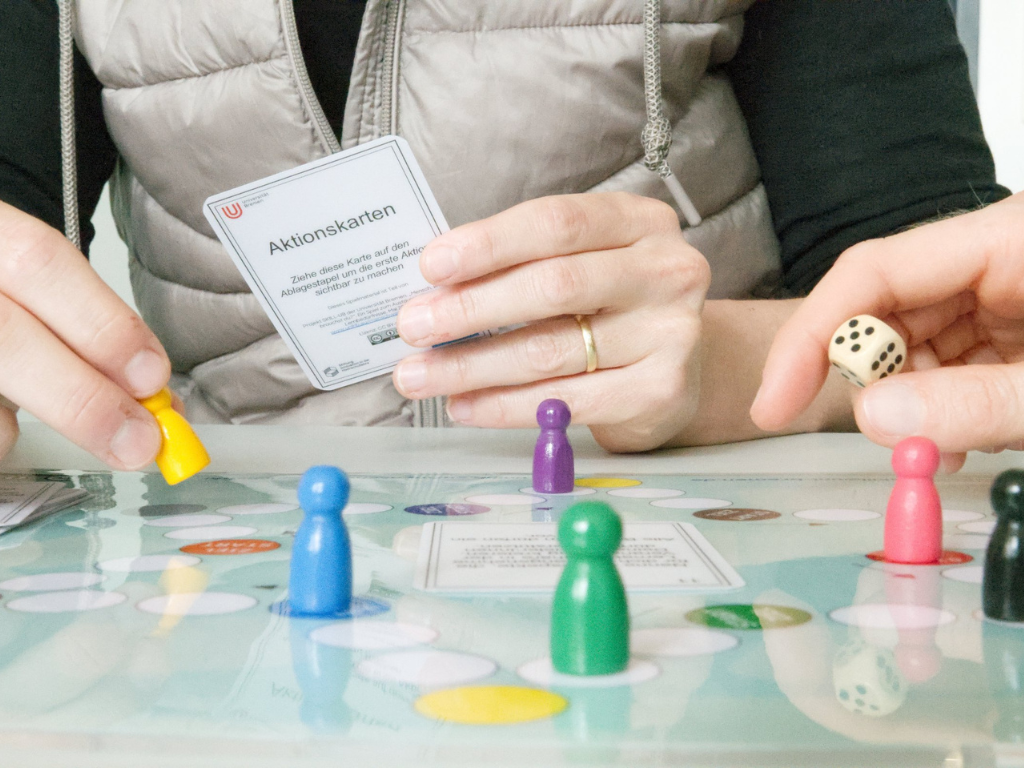


by Carola Schirmer — Image: @geralt / Pixabay, edited with Canva
Universität Bremen provides staff and students with Nextcloud, a cloud platform perfect for teaching, particularly for implementing collaborative learning activities.
Nextcloud is free, open-source software that provides cloud storage and integrates applications (such as Word and Excel). Users can edit documents, spreadsheets, and other file types directly in the browser—even in real time with others. This article describes how the platform can be used in teaching and presents a use case.
Collaboration in Teaching and Learning
Collaboration is central to modern pedagogy. Research-based and project-oriented learning help students achieve lasting, meaningful learning outcomes. These often require collaboration or communication, whether among students or with instructors, such as exchanging feedback.
Depending on the course type and assignments, students can work together on presentations, papers, and reports. They can also collaboratively create project or research reports, document experiments and observations, and write scripts for podcasts or videos. In addition, they can collect, manage, and evaluate data from experiments or surveys together.
Cloud applications like Nextcloud are ideal for such collaborative learning scenarios.

Nextcloud Features That Enable Different Scenarios
All Universität Bremen members can log in to Nextcloud. Materials can also be shared and edited with members of other universities.
There are two ways to share files:
- Folders or files can be shared with individuals or groups at Universität Bremen or other universities. You can assign different access rights: upload only (“file request”), read, download, or edit.
- You can also share via a link, which enables downloads or collaboration. Text documents, spreadsheets, and presentations can be created or uploaded in Microsoft formats (.docx, .xlsx, and .pptx) and edited in the browser. Browser-based editing allows multiple users to work on the same file at the same time.
Collaboration Scenarios
Working Together on Text Documents or Presentations
Students can create a folder or documents for their group’s shared use and grant permissions to individuals. Alternatively, instructors can create folders for groups and share them with group members. This ensures that only the students involved can access the materials. If instructors create and share these folders, they can monitor progress and provide feedback. If students create the folders and manage permissions, they can decide whether, when, and how long content is shared with instructors for review or feedback.
Tracking changes in text documents and adding comments are particularly useful for collaboration among students, peer review, and instructor feedback.
These options can be used for the following collaborative learning activities:
- Presentations
- Papers
- Project or research reports
- Documenting experiments
- Documenting observations
- Creating scripts for podcasts or videos
- Collecting and editing data from experiments or surveys
Collecting Materials and Ideas
Nextcloud folders can be used to collect materials—as an entire class or in smaller working groups. Meeting notes and presentations can be stored for shared seminar work. Instructors or students can share literature or reading lists. Shared folders also work well for storing and editing research materials, such as interview transcripts, observation protocols, collected data, or images.
Individual Feedback and Assessments
Instructors can use folders or files in Nextcloud to provide feedback on student texts. Comments on drafts can support formative assessment. Similarly, texts, portfolios, or other documents can be graded as part of summative assessment. Folders visible only to instructors and the individual students can be used for this. For submitting documents, such as term papers, you can use folders that allow uploads only.
Advising or Supervising Students
Students can create learning portfolios to document and reflect on their individual learning outcomes or study progress and share them with instructors for advising. They can also collect Learning Agreements, letters of recommendation, applications, evaluation, certificates of achievement, or other required documents and share them as needed.
Advantages of Collaborating with Nextcloud and Other Cloud Applications
- Files are not duplicated; versioning happens automatically. There is always only one document that multiple people can work on together.
- Comments and suggested changes allow for dialogue directly in the document; ideas and arguments are recorded in writing.
- Files are automatically backed up by the university’s IT services and are safe even if a device is lost or damaged.
- Folders and files can be made accessible to groups, individual students, or all students in the course with read or write permissions. This allows for a wide range of collaboration scenarios.
- Folders and files can be owned by students and shared as needed. This gives students responsibility for their own learning process and outcomes.
Practical Example: Collaborative Language Data Analysis with Nextcloud

In a media linguistics seminar, Dr. Jonas Trochemowitz’s students used Nextcloud to collaboratively analyze WhatsApp chats from the Mobile Communication Database 2 (MoCoDa2).
The goal was to investigate the following research question: “Is there a positive correlation between an elliptical writing style in WhatsApp and the age of the writers?”
Specifically, the study examined whether text messages are written more elliptically—with omissions—or are syntactically complete.
For the analysis, sixteen chats from MoCoDa2 were exported as HTML files and shared with students via Nextcloud. The students worked in eight groups. Each group analyzed short excerpts from two chat types:
- Chats between people under 25
- Chats between people under 25 and people over 56
The groups evaluated the first ten sentences of the chat excerpts. They then entered the results—the proportion of elliptical sentences—into a shared Nextcloud spreadsheet. This allowed students to combine, compare, and discuss the results in the seminar.
The analysis showed a difference of 15 percentage points: chats between younger people contained more elliptical structures than chats between younger and older people. At the same time, the discussion revealed that the results are only partially reliable due to the small sample size and the limited scope of the underlying data. Additionally, the classification of elliptical structures was not always clear-cut.
Thus, alongside the results, methodological questions took center stage: Which linguistic structures count as ellipses? How meaningful are findings based on small samples? And which statistical methods would be suitable to systematically investigate the relationship between age and elliptical writing?
In this scenario, Nextcloud served not only as a place to store data but also as a shared workspace. The platform enabled sharing the data, collecting results collaboratively, and reflecting on them together afterward.
The example shows how Nextcloud can be used for research-based learning in linguistics and beyond. Students work with authentic data, produce their own findings, and simultaneously reflect on the validity, operationalization, and methodological limits of their investigation.

This translation was created through the co-creative use of generative AI systems (Qwen 3.5 397B A17B, edited with GLM 5.3). The author is responsible for the concept and content. Status of AI support: November 2026